The Secret Weapon Your Signal Chain Is Missing
June 24, 2026
How to Get Van Halen’s Tone at Bedroom Volume
June 24, 2026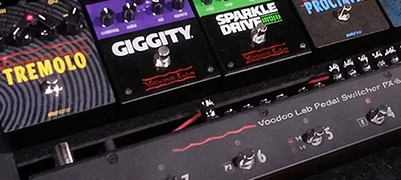
The Ultimate Guide to Guitar Effects Switching Systems & MIDI Control
How to combine analog pedals, digital effects, and presets into one seamless signal chain.
In guitar tone speak, “tap dancing” on one’s pedalboard isn’t nearly as tired as “this one goes to 11” or “Play some Skynyrd…” but it’s close. The thing is, having to engage multiple effects at the same time is actually a problem, affecting your performance, musicality, tone, and best laid plans.
For example, say you want to turn off your overdrive after the opening riff, and immediately kick your delay on for the atmospheric verse. Then, maybe an amp channel change for the pre chorus that also needs some swirly modulation. That’s multiple moves and you haven’t even gotten to the chorus. Eventually, your soft shoe routine becomes silly and your playing suffers. Plus, you spend half the gig staring down at your board plotting your next move. Not cool. Not pro. Not fun.
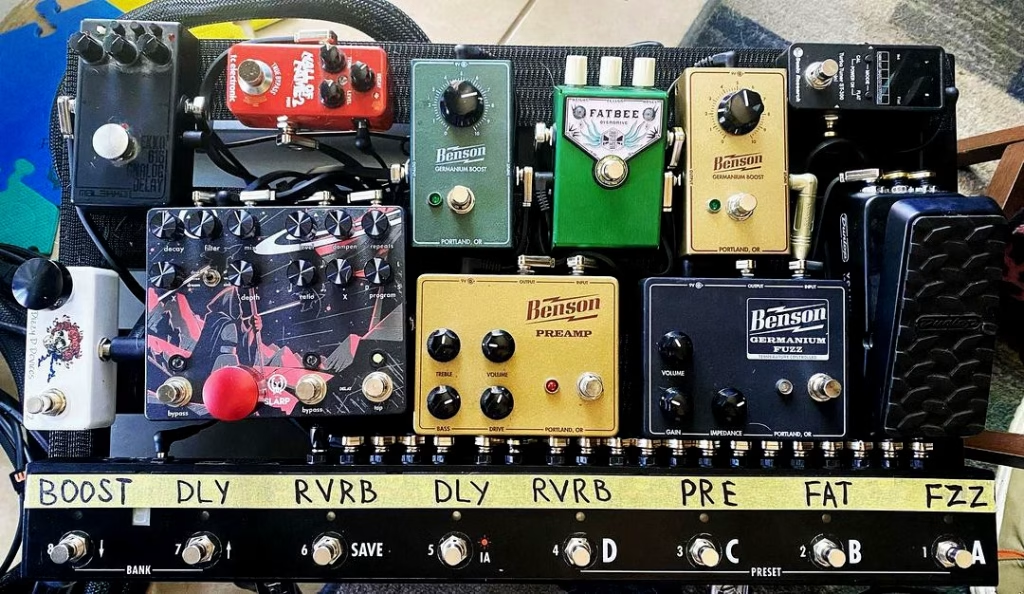
Switching systems solve these problems. From simple pedalboard loop switchers to MIDI-controlled rigs, a switching system gives you control and repeatability on a board that would otherwise demand a flurry of moves for a single tone change.
This guide explains how guitar pedalboard switching systems work, why they matter, and how to choose the best setup for your rig.
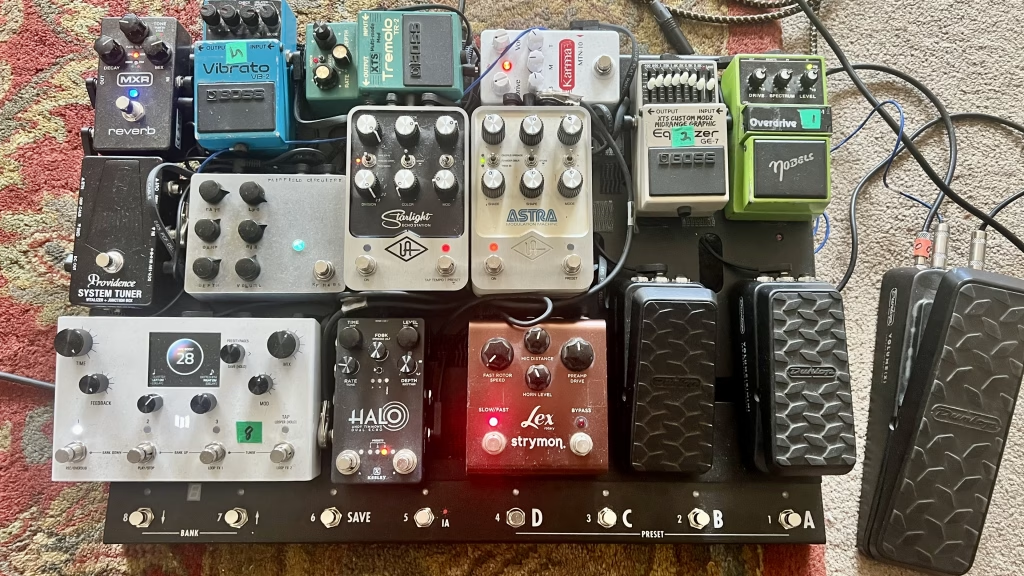
Why Modern Pedalboards Need a Guitar Effects Switching System
Not long ago, you’d hit the stage with a wah, a distortion or fuzz, and maybe a delay and/or chorus pedal. Super simple, turn ’em on, turn ’em off — not a ton of options.
But effects pedals started to do a whole lot more. And players started adding more of them. So more pedals — with presets within those pedals — plus the desire to take advantage of these effects, well you can’t just grow two more feet, can you?
A guitar effects switching system system lets you recall those complex “scenes” instantly, remove unused pedals from your signal path to preserve tone, and ensure every transition across your pedals, MIDI effects, and amplifier happens with a single click.
Beyond Bypass: How Loop Switchers Preserve Your Tone
With every foot of cable and mechanical footswitch between your guitar and your amp, you’re paying a “tone tax.” Sure, while true bypass was a great first step in the pedal revolution, it doesn’t solve the problem of signal degradation on a large board.
As your signal travels through dozens of inactive pedals and their patch cables, you’ll hear a loss of high-end clarity and punch. This tone suck is the result of added capacitance and resistance from every extra jack and foot of wire.
A loop switcher eliminates this by acting as a physical gatekeeper. If a pedal isn’t active, the switcher ensures that it — and the cables connecting it — literally don’t exist in your signal path. Thus, your tone isn’t whacked at the knees with signal loss and unwanted coloration.
Total Control: From Presets to MIDI
Beyond killing tone suck, these loops turn a collection of individual pedals into a programmable system. Instead of stomping three pedals for a solo, you save that combination as a preset. One click, there’s your effects chain that you spent hours dialing in. Perfect.
MIDI runs parallel to all of it, never touching audio, only sending commands. Easily change presets, adjust delay time, sync tempo to backing tracks, or trigger entire scenes. DSP pedals, rack gear, even stage lights, respond to MIDI instantly.
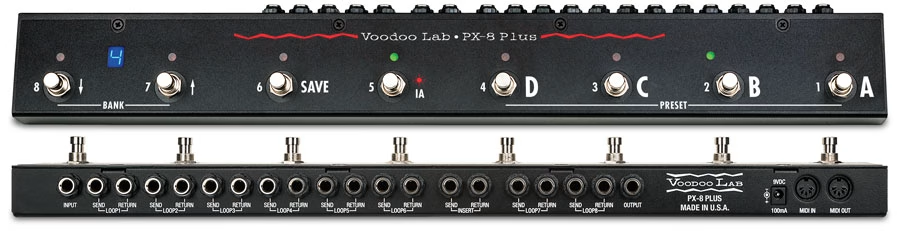
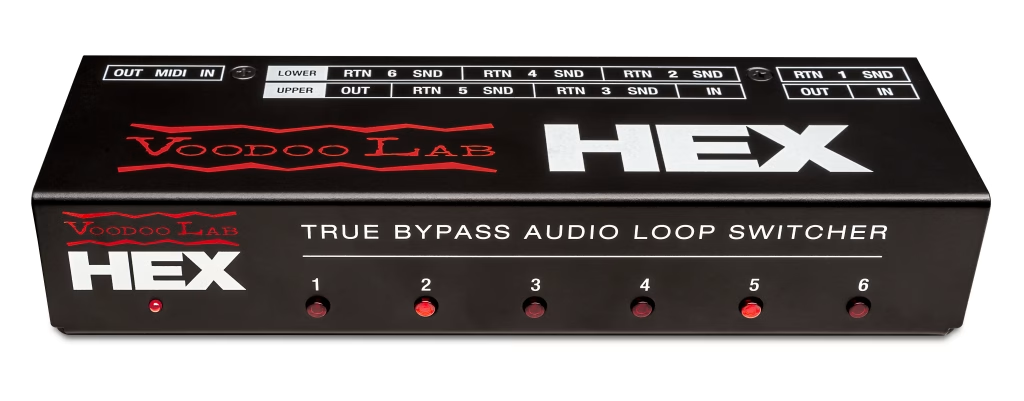
A switcher like HEX manages the analog signal path, while a controller like the Ground Control Pro MIDI Foot Controller acts as the “brain” for MIDI and amp switching. If you want everything in one footprint, the Voodoo Lab PX-8 PLUS True Bypass Programmable Pedal Switcher combines both worlds, giving you 8 analog loops and MIDI control in a single floor unit.
How to Choose the Best Guitar Effects Switching System for Your Rig
Choosing a switcher starts with one question: What problem are you solving?
If you want a compact, “hidden” rig: The Voodoo Lab HEX is a six-loop “black box” switcher. It has no footswitches of its own, making it the perfect stealth solution to mount under your board or in a rack. Because it has no footswitches, you must pair the HEX with a MIDI controller like the Ground Control Pro to operate it.
If you want an all-in-one floor unit: The Voodoo Lab PX-8 PLUS is the choice for players who want the loops and the footswitches on their board. It features 36 onboard user presets to recall loop combinations instantly.
If your board includes multiple DSP pedals: MIDI is essential. A HEX paired with a MIDI controller — or a PX-8 PLUS — gives you synchronized preset changes across your board.
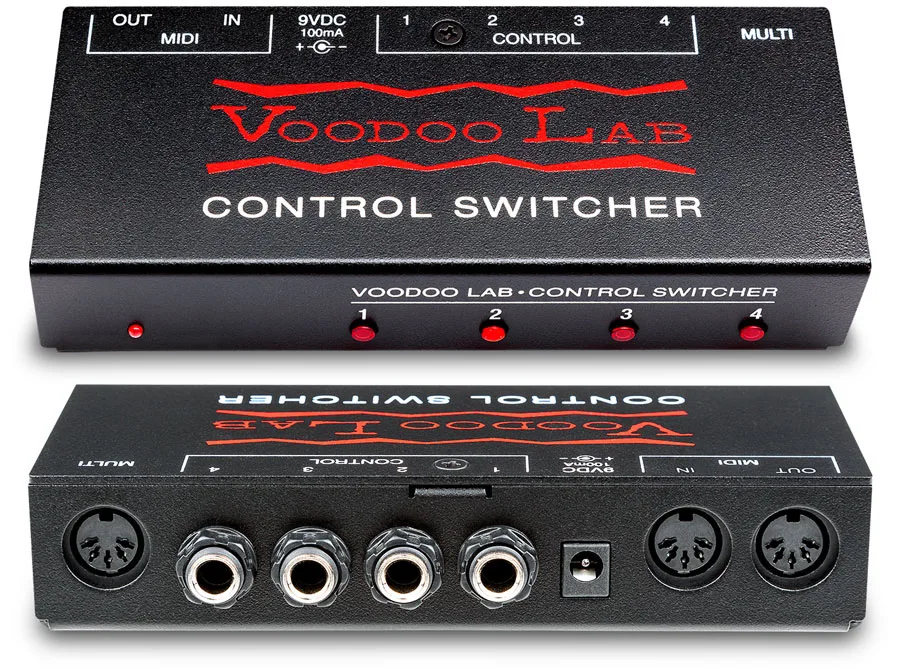
If you need to switch non-MIDI amp channels: The Voodoo Lab Control Switcher MIDI Amp Commander acts as a MIDI-to-analog translator. It handles channel switching, reverb, and tremolo on your amplifier, so you can automate your amp’s features alongside your pedals.
Best Practices for Building a Switching-Based Pedalboard
Pedal Order Still Matters: Even with a loop switcher, pedal order matters. Place “dry” pedals (drives, fuzz, compressors) in the early loops and “wet” effects (delays, reverbs) in the later loops. This ensures your delay repeats stay clear and don’t get turned into mud by a high-gain pedal later in the chain.
Plan Before You Build: Map out your loop order and MIDI channels on paper before mounting anything. It’s much easier to move a pencil line than it is to tear up Dual-Lock and re-do custom-built cables.
Assign Unique MIDI Channels: Think of MIDI channels like addresses. Assign each digital pedal its own channel (e.g., Delay on Ch 1, Reverb on Ch 2) so your controller can send different instructions to each pedal simultaneously. Without unique channels, every pedal reacts to every command at once, making it impossible to create specific “scenes” of your settings.
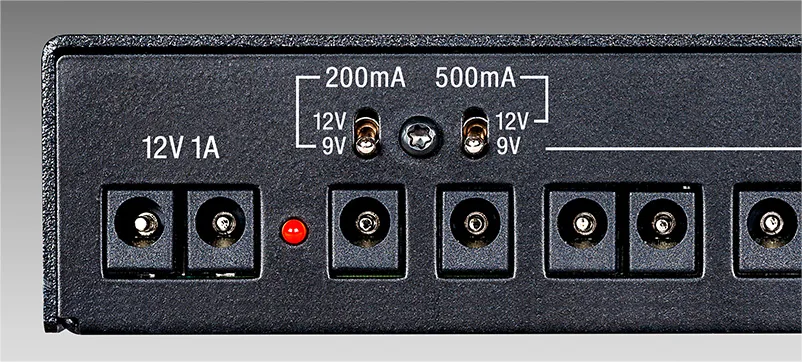
Use Clean Power: Use a high-quality, isolated supply like the Voodoo Lab Pedal Power 3 Plus to prevent digital clock noise from leaking into your analog drive pedals.
The “Soundcheck” Label: Label your loops and presets clearly on the controller. In the heat of a gig or a high-pressure recording session, you don’t want to be guessing which button triggers your “Chorus Lead” scene.
Switching and MIDI FAQ
Can a MIDI controller switch my amp?
Only if the amp is MIDI-compatible. For standard amplifiers, you need a MIDI-to-analog converter like the Voodoo Lab Control Switcher. It translates MIDI orders from your controller into the physical on/off your amp’s footswitch jack understands.
Does a switcher improve my tone?
Yes. Removing unused pedals and their cables from your signal path eliminates the high-end roll-off and tone suck that builds up in a long chain.
How many presets does the PX-8 PLUS have?
It features 36 user-programmable presets (9 banks of 4). This allows you to save combinations of your 8 loops and recall them with a single tap.
Do I still need a buffer with a loop switcher?
It depends on the unit. The PX-8 PLUS and HEX both have output buffers, keeping your signal strong on the run to your amp — but your signal is unbuffered from guitar to switcher. The GCX flips that around with a dedicated input buffer on the front panel, plus a passive feed-thru if you want to skip it entirely.
What if I use a vintage Fuzz?
Vintage fuzz pedals like a Fuzz Face need to see your guitar pickups directly to sound right. Since the buffers on the PX-8 PLUS and HEX are at the output (after the loops), your fuzz will behave perfectly inside any of the 8 loops.
What’s the difference between a PC and a CC MIDI message?
Think of a Program Change (PC) as “Change the Channel” as it tells your digital pedal to move from Preset 1 to Preset 10. A Control Change (CC) tells your pedal to do something specific like turning a delay’s mix or feedback up or down.
The Bottom Line
Not everyone needs a switching system. Hitting the stage with three pedals is just as rad now as when Hendrix had a wah, Fuzz Face, and Uni-Vibe at Woodstock. But if you’re sitting on a board full of powerful modern effects — and you want to use them to their fullest ability — a switching system unlocks that. Studio-quality transitions, complex scenes recalled instantly, every color in your paintbox available with a single click. So stop tap dancing and start playing!
—Darrin Fox